Shopping list grouped by category, automatically
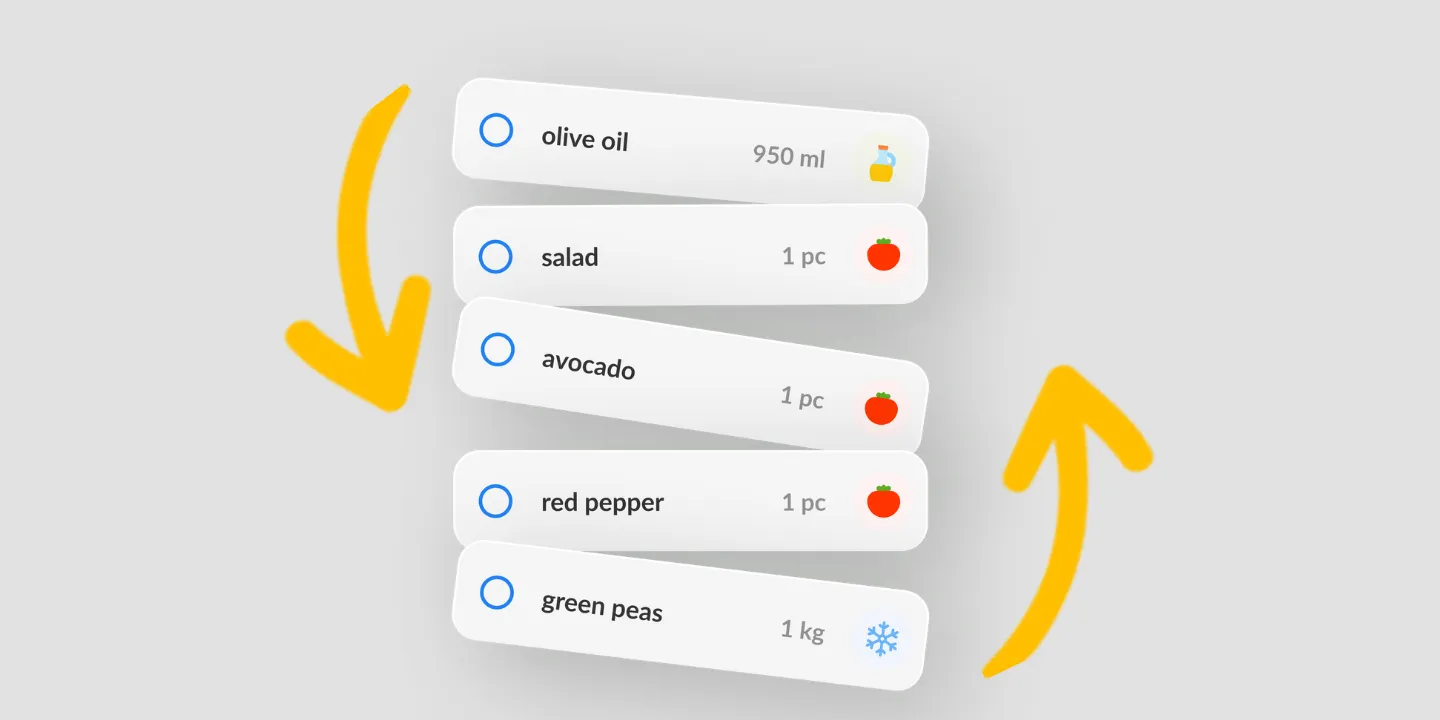
Listonic groups a list by product type as you build it, so dairy sits with dairy and bread with bread and you clear an aisle in one pass instead of walking back to it. Move an item to a different category once and the choice is remembered next time. You can add categories of your own and reorder them to follow the aisles of the store you actually shop in.
Key takeaways
- Items sort themselves into produce, dairy, bakery and the rest as you add them, so nothing has to be grouped by hand.
- Correcting a miscategorized item is a one-time act: Listonic remembers where you put it and applies that next time.
- Grouping is automatic, the category names are yours to extend, and the order the groups appear in is yours to set.
- You do not have to decide what the categories should be, because the app arrives with a set already built in.
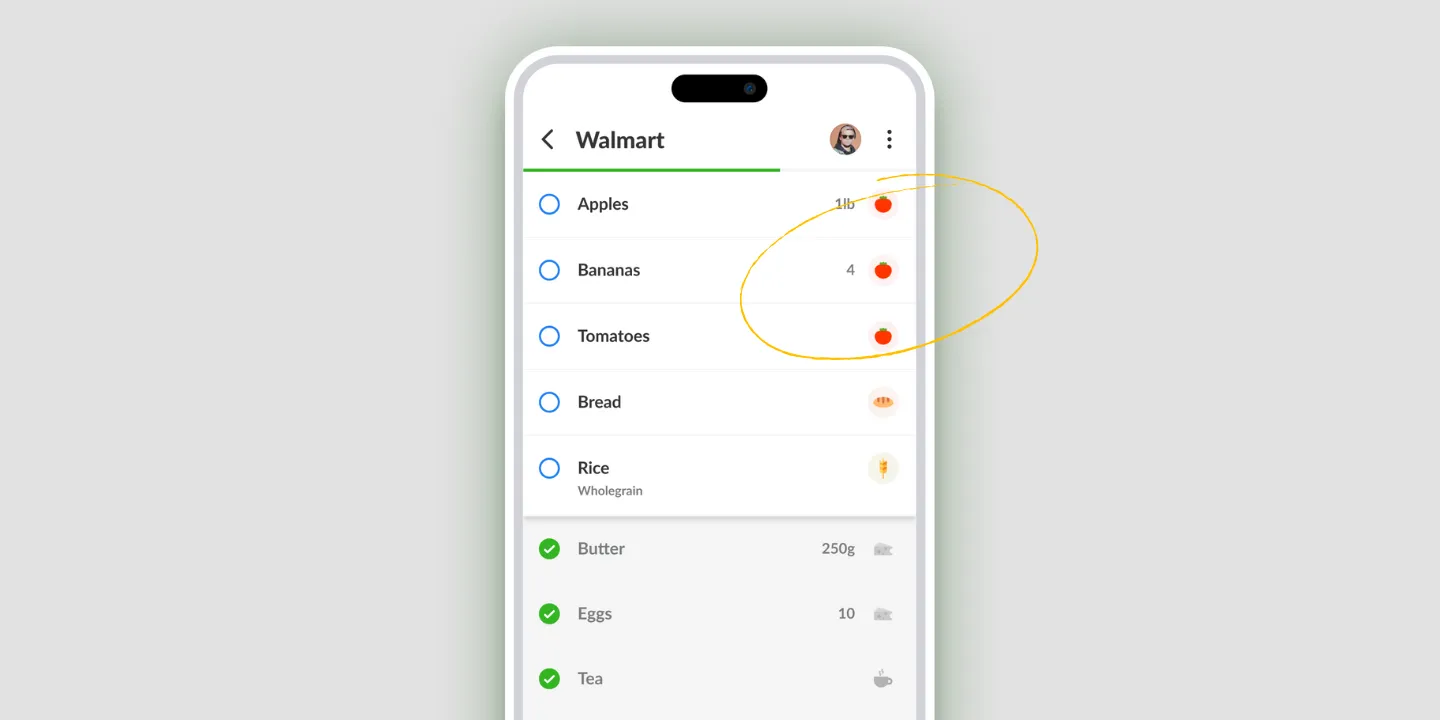
Pick up all the dairy while you’re standing in front of the dairy. That’s the whole idea: Listonic sorts items into product types as you add them, so a list arrives grouped rather than in the order things occurred to you.
A list that groups itself
Write “milk, batteries, bread, yogurt, bin bags” and you get a list that sends you across the store and back. The same five items grouped by type send you to three places, once each.
Listonic does the grouping as you type. Dairy with dairy, bakery with bakery, household with household. No setup, no tagging, nothing to switch on: the category set ships with the app.
That’s also why the list stays readable when it’s long. Thirty loose items is a wall. Thirty items in eight groups is eight small decisions.
Fix a category once and it stays fixed
Automatic categorization gets things wrong sometimes, usually on products that could honestly go in two places. Coconut milk is the classic.
Move the item to where you think it belongs and Listonic saves that against the product. Next week it lands where you put it. The correction is a one-time cost rather than a weekly annoyance, which is the only reason automatic grouping is worth having at all.
When the standard categories aren’t yours
The built-in set covers an ordinary supermarket. It doesn’t cover the way you personally split things up, and it doesn’t know your store has a whole aisle for something most stores give a shelf.
Custom categories are for that: name a group yourself, give it an icon, and file things into it. Use them when you keep wanting a group the app doesn’t have, not to rebuild the set from scratch.
Put the groups in your store’s order
Grouping decides what sits with what. It doesn’t decide which group you reach first, and in a real store that’s the half that saves the walking.
The category order can be rearranged to match the aisles you actually pass, which is covered on the sorting page along with alphabetical and manual ordering. Grouping plus your own order is what turns a list into a route.
If you came looking for a list of categories
Some people arrive here wanting to know what the categories should be: produce, dairy, meat, frozen, pantry, household, and so on, to copy onto paper or into another app.
Listonic doesn’t publish that as a reference list, because in the app you don’t pick them. The set is already there and items land in it on their own. If you want the names, the fastest way to see them is to add a dozen things to a list and watch where they go.
Where grouping works
| Platform | Category grouping |
|---|---|
| Android | Yes |
| iPhone and iPad | Yes |
How it compares to other list apps
For how Listonic’s categorization holds up against the way other apps group a list, see our head-to-head comparisons of the main grocery list apps.
FAQ
Why group a shopping list by category?
Grouping means you pick up everything from one aisle while you are standing in it, rather than shopping in the order you happened to write things down and crossing back for the yogurt. It is the difference between one pass through a store and three.
Do I have to sort items into categories myself?
Listonic categorizes items as you add them, so a list groups itself without anyone choosing where things go. The categories come with the app rather than being something you set up first.
What if an item lands in the wrong category?
Move it once. Listonic saves that choice against the product, so the same item is not corrected twice, and the correction carries into later lists.
Can I add categories that Listonic does not have?
Custom categories let you name groups of your own and give them an icon, which is what you want when the standard set does not match how you think about a store.
Can the categories follow my own store layout?
The order categories appear in can be rearranged to match the aisles of the store you shop in, so the list runs in the same direction you walk.