Voice input: add to a grocery list hands-free
Listonic builds a shopping list from speech, so items go in while you are cooking, driving, or carrying bags. Say "and" between items and each one lands on its own line. Say the amount together with the item, such as "potatoes 2kg" or "3 onions", and the quantity goes in with it in a single command. It is dictation inside the app, not a smart-speaker skill: there is no Alexa, Siri, or Google Assistant integration.
Key takeaways
- Speaking a list into Listonic puts each item on its own line as long as you say "and" between them, so one breath can add five things.
- A quantity said in the same phrase is captured with the item: "potatoes 2kg" and "3 onions" both arrive complete.
- Voice input is dictation inside the Listonic app, not a smart-speaker skill, so Alexa, Siri, and Google Assistant cannot add to your list.
- Voice input is part of the free app, on both Android and iPhone, with nothing to switch on first.
Hands covered in flour, both arms full of bags, or a car you should be watching instead of your phone. Those are the moments a list gets forgotten, and they are the moments a voice grocery list is for: say what you need, and Listonic writes it down.
How grocery list voice input works
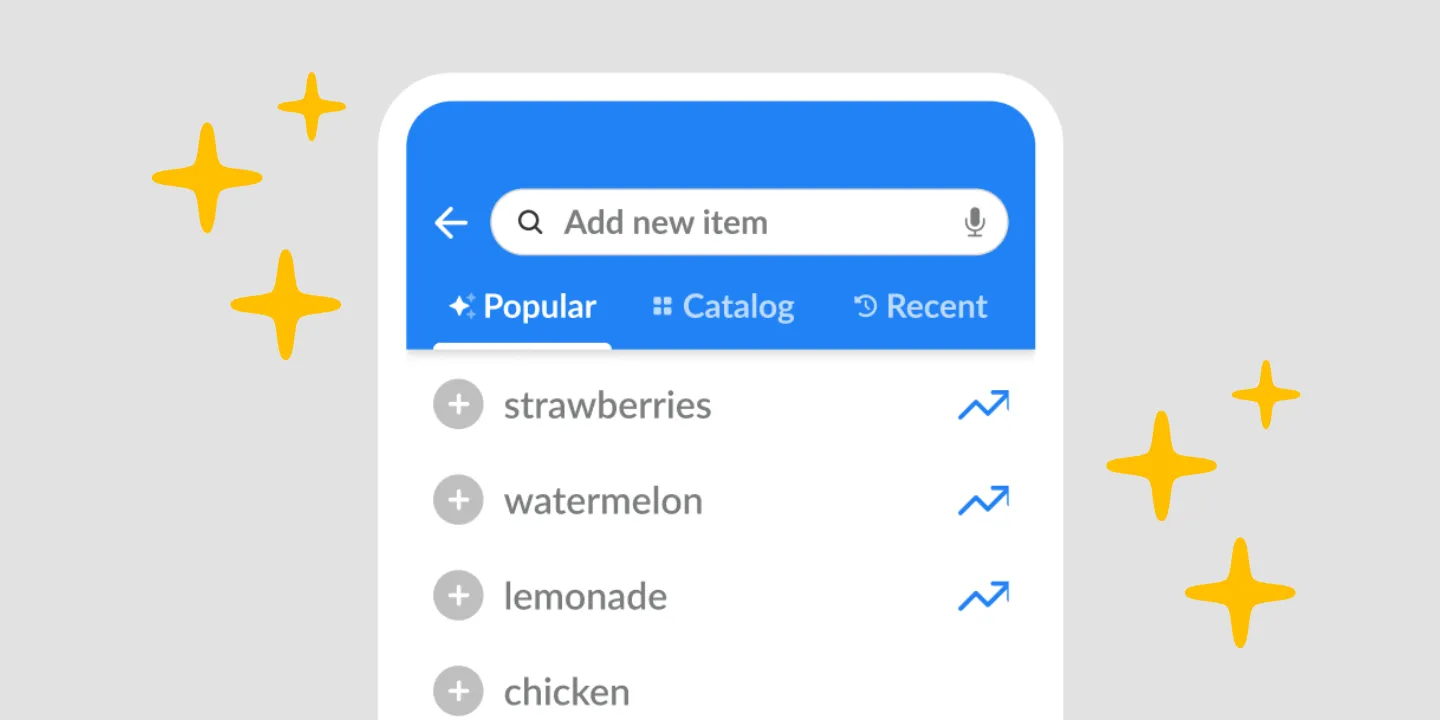
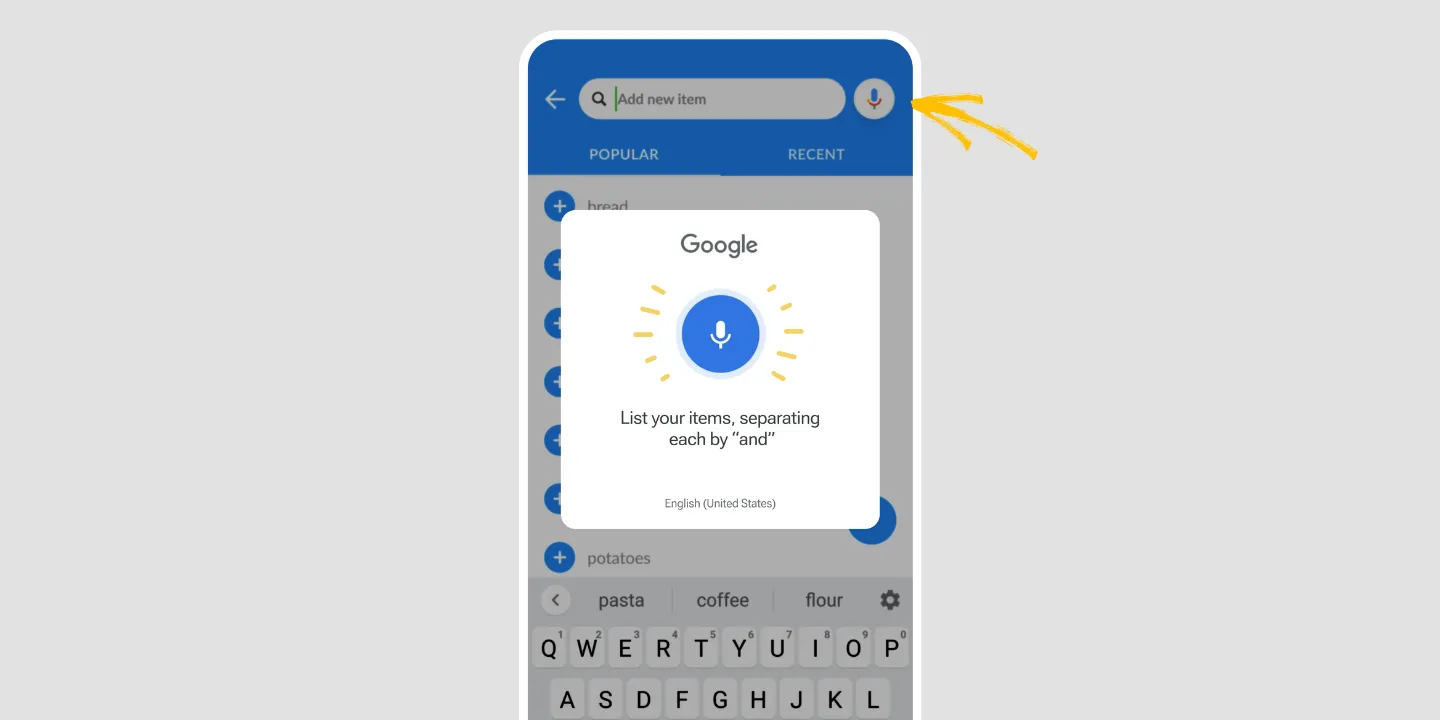
Tap the microphone on the add-item field and talk. Items land on the list as you say them.
The one thing worth knowing before your first try is the divider: say “and” between items. Listonic splits on it, so “bread and butter and six eggs” comes back as three lines. Without it you get one long item that reads like a sentence.
- Open the list you want to add to.
- Tap the microphone on the add-item field.
- Say your items with “and” between them.
- Look over what landed and fix anything the room was too loud for.
That fourth step is not a formality. Kitchens are noisy, brand names are not ordinary words, and no dictation is perfect.
Say the amount in the same breath
Quantity goes in the same phrase as the product, which is the difference between voice input that saves time and voice input that creates editing work.
Say “potatoes 2kg” and you get potatoes with 2kg against them. Say “3 onions” and you get three onions. Both arrive as finished lines, so a shopping list dictated on the walk back from the car does not need a second pass at the kitchen table.
When speaking beats typing
Typing a list is fine when you are sitting down. It stops being fine the moment your hands are doing something else, which for a shopping list is most of the time it gets written: mid-recipe, unloading the car, standing in front of an open fridge.
Voice input is also faster per item once the list runs long. Five things said in one breath take about as long as one thing typed.
What it doesn’t do: Alexa, Siri, and Google Assistant
This is the part worth reading before you install anything, because it is what most people searching for a voice shopping list actually want, and the answer is no.
Listonic has no smart-speaker skill. You cannot say “Alexa, add milk to my Listonic list” and have it work. There is no Google Assistant action and no Siri shortcut either.
Voice input in Listonic means the microphone inside the app, on the phone in your hand. It replaces the keyboard, not the speaker on your kitchen counter. If a voice assistant adding to your list from across the room is what you need, Listonic is not the app that does it, and that is better to know now than after a download.
Where voice input works
| Platform | Voice input |
|---|---|
| Android | Yes |
| iPhone and iPad | Yes |
Voice input is something you use on the phone you are holding, so the phone apps are where it lives. On Android, the audio goes to Google voice recognition, which is why accuracy holds up on ordinary grocery words.
How it compares to other list apps
For how Listonic’s voice input holds up against the voice and assistant features in other apps, some of which do have the integrations this one doesn’t, see our head-to-head comparisons of the main grocery list apps.
FAQ
How do I add items to a shopping list by voice?
Open a list in Listonic, tap the microphone on the add-item field, and say what you need. The items appear on the list as you speak, and you can keep talking until you run out of things.
How do I separate one item from the next when speaking?
Say the word "and" between items. Listonic treats it as the divider, so "bread and butter and six eggs" arrives as three separate lines rather than one long one.
Can I say quantities out loud?
Quantities work in the same breath as the item. Say "potatoes 2kg" or "3 onions" and the amount is stored with the product, so you do not have to go back and edit the line afterwards.
Can Alexa or Google Assistant add to my Listonic list?
No. Listonic has no smart-speaker skill and no Google Assistant integration, so asking a speaker to add milk will not reach your list. Voice input in Listonic means dictating into the app on your phone.
Can I use Siri to add to my Listonic list?
No. There is no Siri integration in Listonic. On an iPhone you dictate into the app itself rather than asking Siri to do it for you.
How accurate is the voice recognition?
On Android, Listonic hands the audio to Google voice recognition, which is among the stronger engines available. Accuracy still depends on the usual things: background noise, how fast you talk, and whether the product name is an ordinary word.
Is voice input free?
Voice input is part of the free Listonic app rather than a Premium feature, with no cap on how much you use it and nothing to enable before your first try.